

Manage organization groups
A group collects organization members so that one role assignment can give all of them shared access. This is easier to maintain than assigning the same role separately to each person.
Open Settings and Groups. The list shows each group's member and role counts.
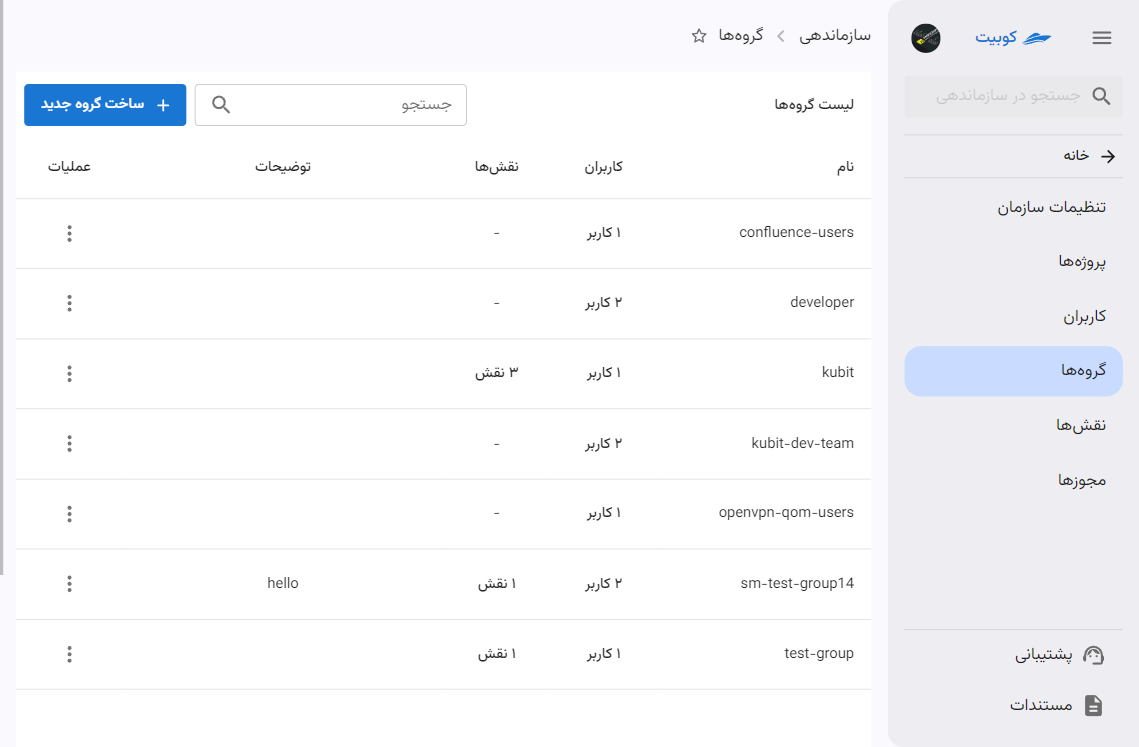
Create a group
Select New Group. A name is required; description, members, and roles may be added now or later. Choose a descriptive name such as “Infrastructure team.”
Creating a group without a role only categorizes members; it grants no permission by itself.
Add or remove members
Open the group, choose members under Users, and save. New members immediately receive group roles. Removed members lose those roles, but may retain equivalent access from direct roles or other groups.
You can also change groups from a member's details page; see Add a member to a group.
Grant group access
Under Roles, add a role and choose its scope. All Projects applies it at organization scope; selecting one project limits it to that project.
A group can hold multiple roles with different scopes. Check existing and inherited roles before adding another assignment.
See Permissions and roles and User and group project access.
Effective group access
Members receive the union of every group role. Organization roles apply wherever their permissions are valid; project roles apply only in their selected project.
Removing one role may not remove access when the member has the same permission from a direct role or another group. Review all role paths when troubleshooting.
Edit or delete a group
You can change the name, description, members, and roles. Deleting a group does not delete its users; it removes only that membership and the roles supplied by the group.
Before deletion, check group dependencies and any OIDC clients restricted to the group.
LDAP groups
An organization with LDAP can synchronize groups and memberships from its directory. In read-only mode, Kubit cannot write changes back. In full mode, permitted panel operations may update the directory.
When SAML and LDAP are both enabled, SAML attribute mapping may also set group membership at sign-in. Kubit and the company's identity administrator configure that mapping.