

Create a Kubit account
A Kubit account lets you sign in to the panel, create an organization, or accept an organization invitation. The account is not tied to one organization, so you can use it for multiple memberships.
If you already have an account, follow Sign in with a Kubit account instead of registering again.
Before registration
You need a phone number, national ID, email address, username, and valid invitation code. The phone number must belong to the owner of the national ID. The email, phone number, and username must not already belong to another Kubit account.
If you received an organization invitation link, begin registration from that link. Some fields may already be filled, and Kubit adds you to the organization after the account is created.
Enter your account information
Open the Kubit registration page and enter:
- Phone number: Kubit sends the verification code to this number.
- National ID: Kubit uses it to verify ownership of the phone number.
- Email: The unique email address for the account.
- Username: A unique name that identifies the account in Kubit.
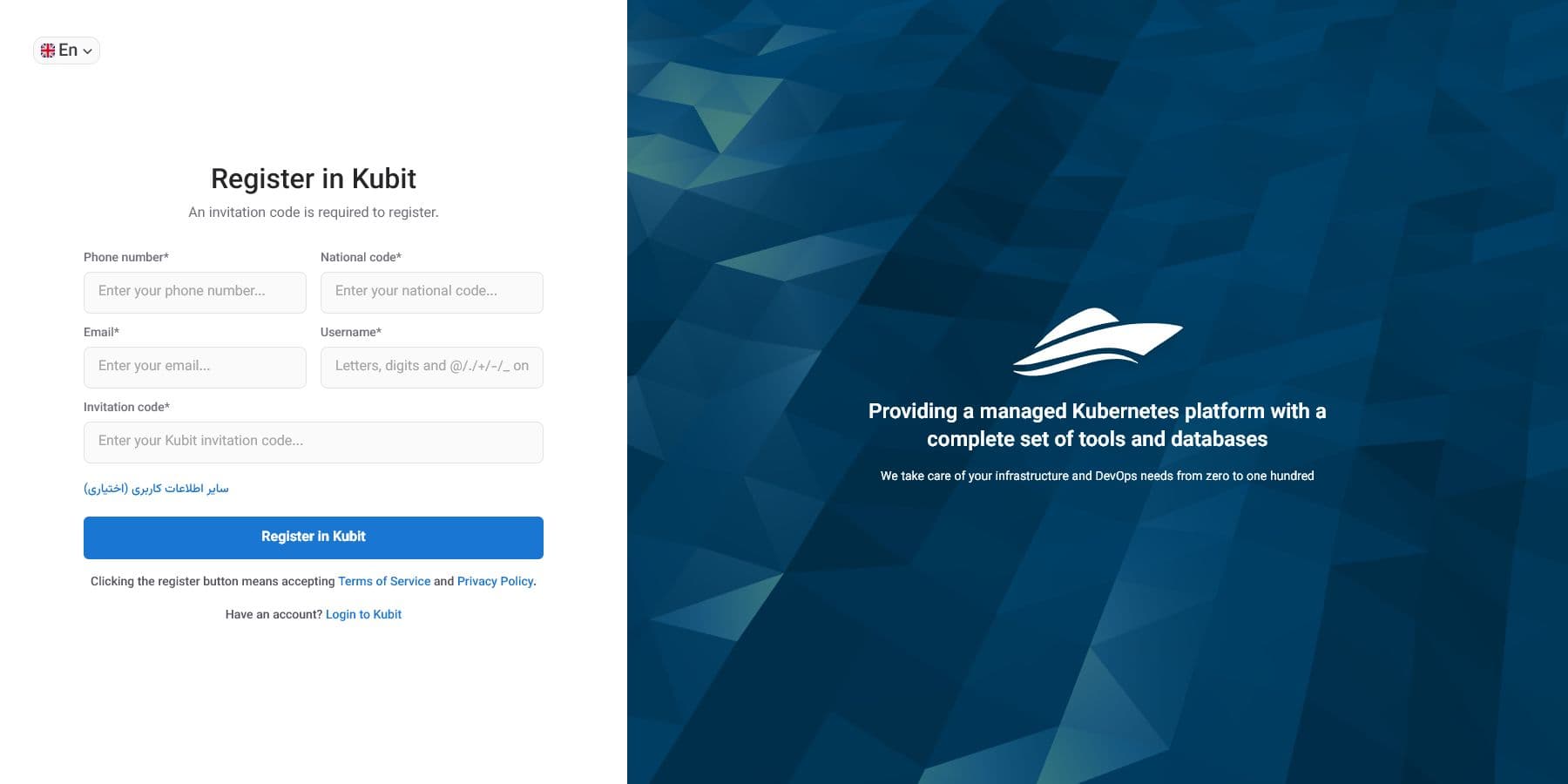
Expand Other user information (optional) to enter your first name, last name, and password. You can complete your name later from profile settings.
The password is optional. Without one, you can sign in using a verification code. If you set a password, meet the requirements shown below the field and enter the same value in the confirmation field.
If the Invitation code field appears, enter a valid code. When registration starts from an invitation link, Kubit normally reads this value from the link.
Selecting Register in Kubit accepts the terms of service and privacy policy. You can read both documents from the links below the form.
Confirm your phone number
Kubit sends a code to the phone number after you submit the form. Enter it on the Verify Account page and select Verify and Login.
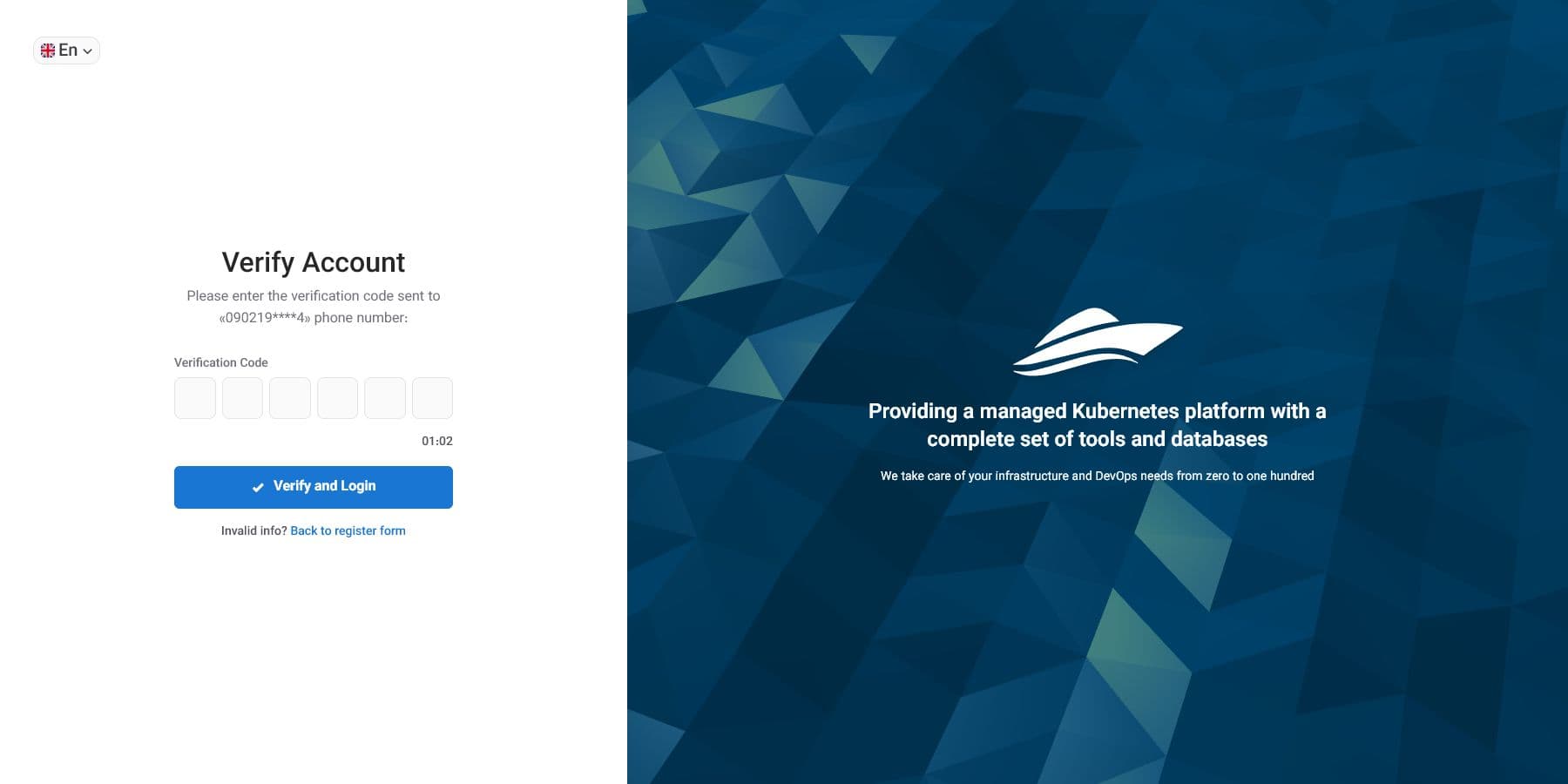
If the code does not arrive, wait for the displayed timer and request another code. Return to the registration form if the phone number is incorrect.
After verification, Kubit creates the account and signs you in automatically.
After account creation
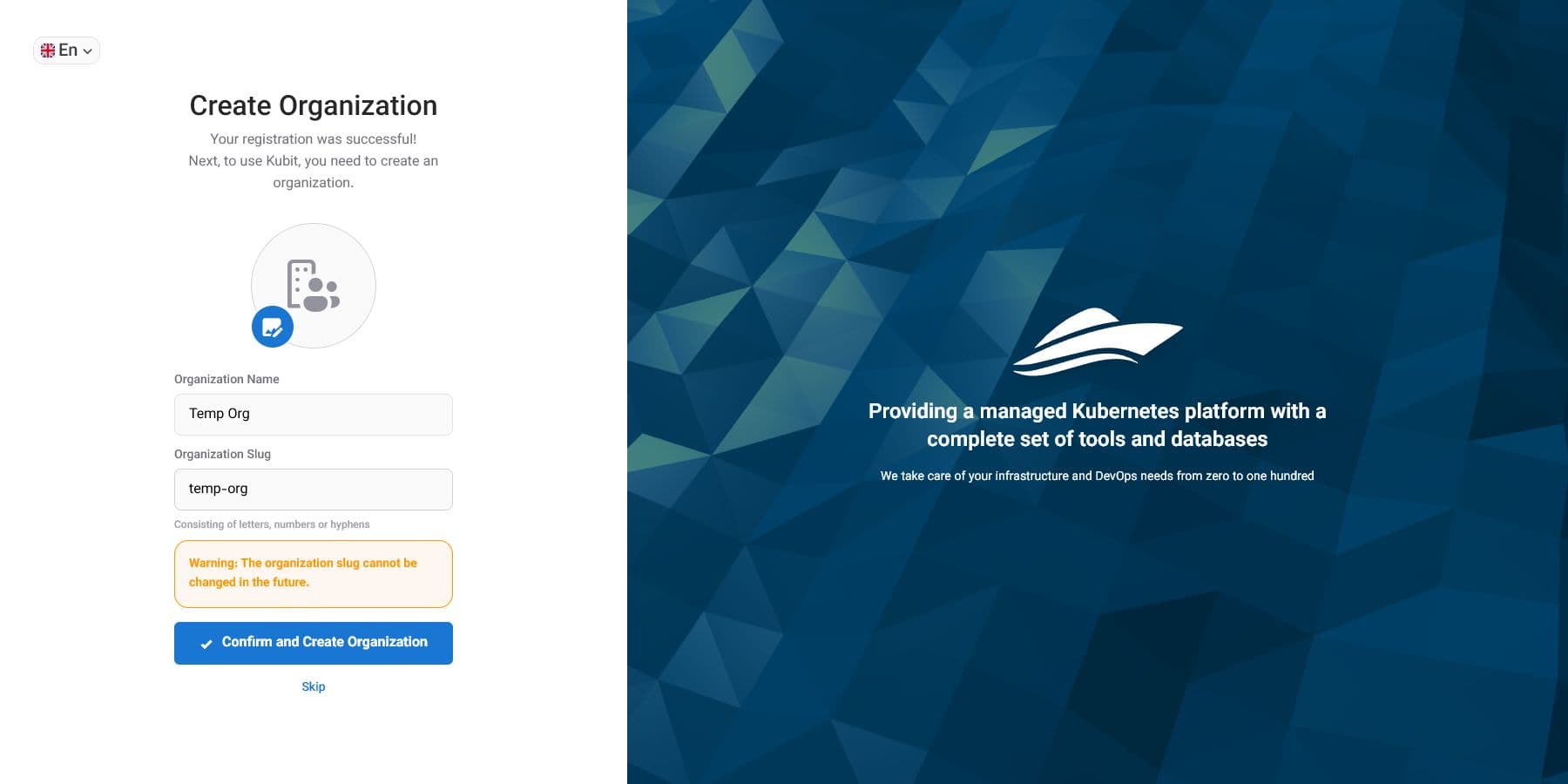
For a regular registration, Kubit displays the organization form. You can create your first organization or skip this step and create one later. See Create your first organization after registration.
Adding a logo is optional; only the organization name and slug are required.
If you registered from an invitation, Kubit accepts the invitation and opens that organization. Its administrator controls your roles and access.
Common registration errors
Account information is already in use
Each email, phone number, and username can belong to only one Kubit account. Sign in to the existing account or use password recovery.
The national ID and phone number do not match
Use a phone number registered to the owner of the national ID. If both values are correct and the error continues, contact Kubit support.
The verification code is rejected
Verification codes expire quickly. Use the latest code and request a new one only after resend becomes available.
The invitation code is invalid
The invitation may be incorrect or expired. Reopen the original link, or ask the sender to check and renew it.