

Roles and permissions
A permission allows one specific action, such as viewing projects or editing users. A role combines permissions into a recognizable responsibility. Kubit assigns roles—not individual permissions—to users and groups.
Permissions and roles
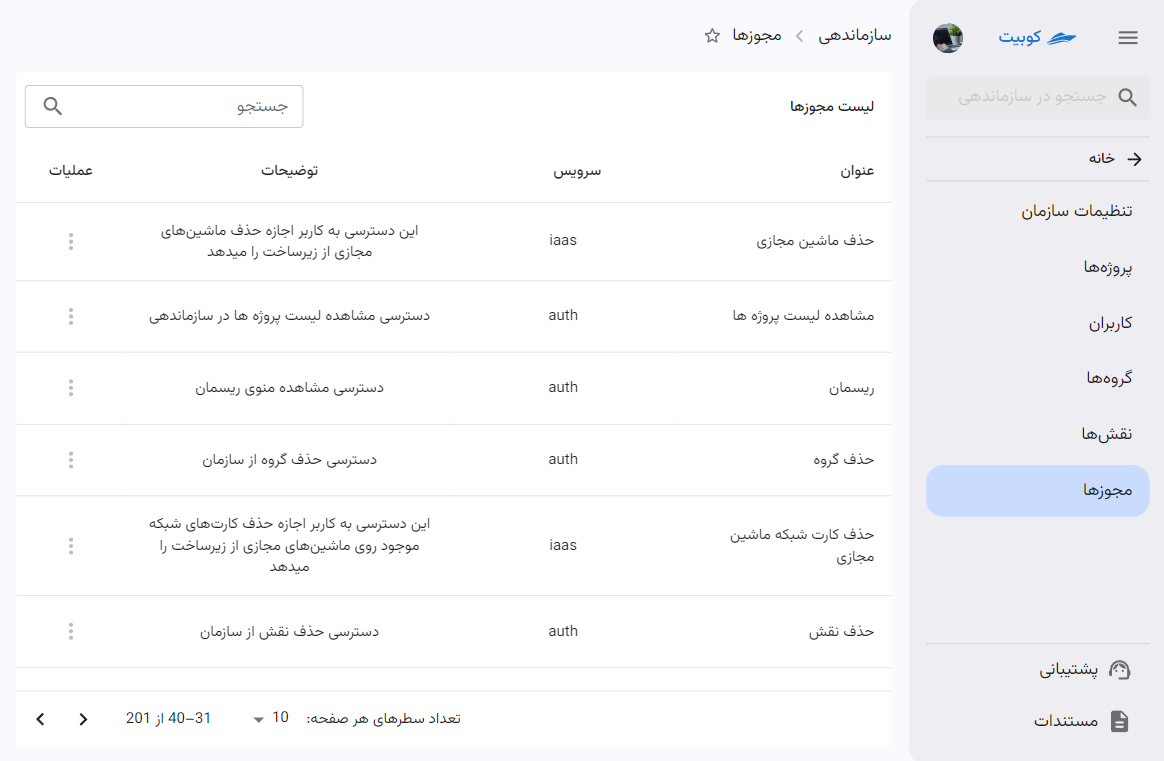
Each permission has a key and description and usually belongs to a panel area or service. Read, create, edit, and delete permissions are separate; view access does not imply change access.
Open Settings and Permissions to inspect available permissions. This page does not assign them to users.
Roles
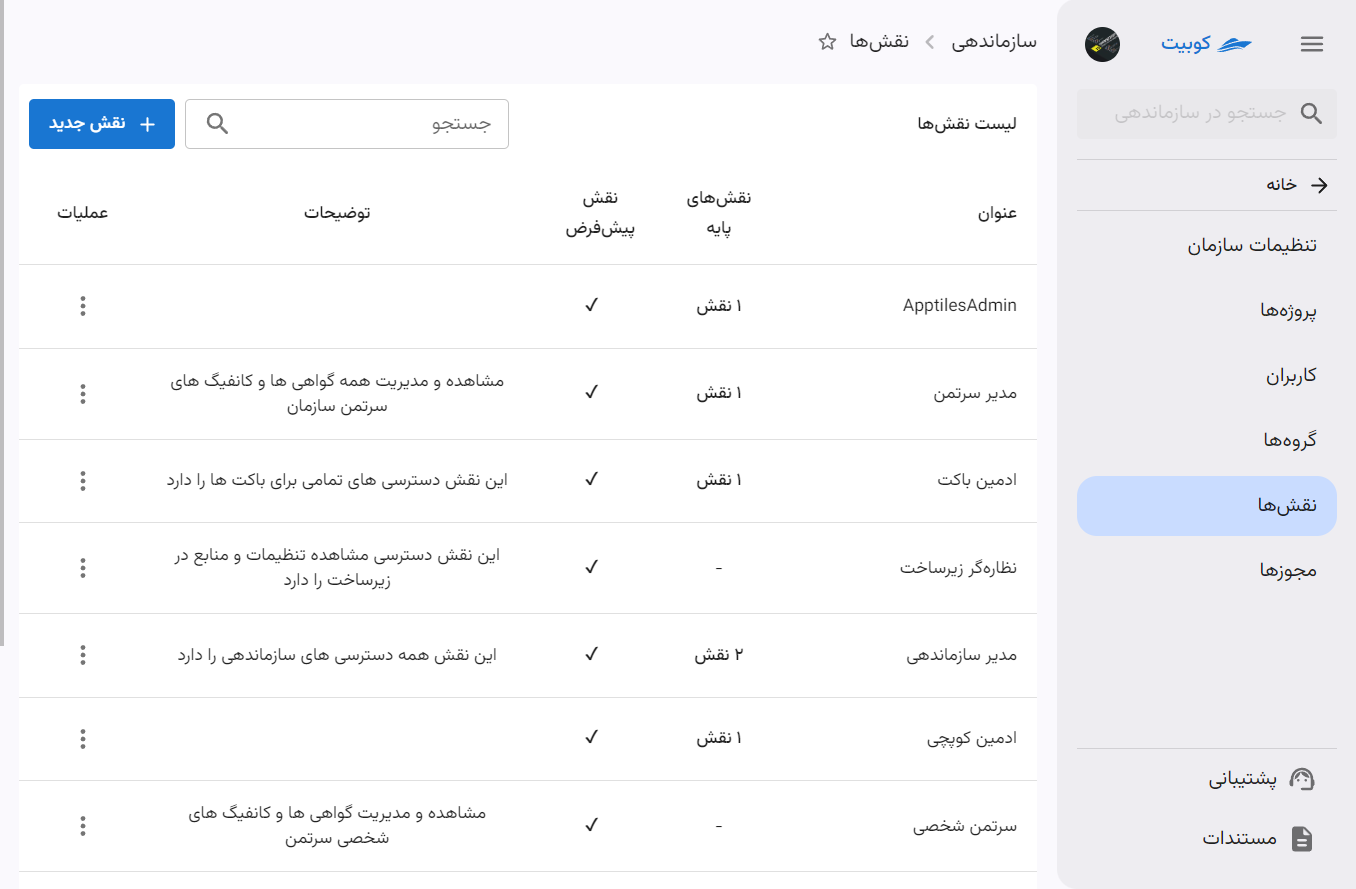
A role has a name, description, and set of permissions. Open Settings and Roles to view Kubit shared roles and organization custom roles.
Shared and custom roles
Kubit defines shared roles for every organization. An organization cannot edit or delete them. A custom role belongs to one organization and may be created, edited, or deleted by an authorized administrator.
Create a custom role
Select New Role, enter a clear name and description, and create it. A role without direct permissions or base roles grants no practical access. Open its details to manage both sets.
Add permissions to a role
Edit the direct-permissions section, select only the actions required for the responsibility, and save. Apply least privilege; broad roles make access harder to review.
Removing a direct permission has no effect when the role inherits the same permission from a base role. Change the base-role relationship instead.
Role inheritance
A custom role can inherit from one or more base roles, including permissions they inherit in turn. Keep chains short enough to audit. Kubit rejects circular inheritance, where a role becomes its own direct or indirect base.
Before removing a base role, inspect the inherited permissions and every user or group holding the current role.
Assign a role to a user
Open the member, select Assign Role, and choose organization or project scope. See Assign a direct role. Use groups for responsibilities shared by several people.
Assign a role to a group
Open the group and add a role with its scope. Every member receives that access. See Grant group access.
Assign a role in a project
The project page can assign a project-limited role directly to a user or group. See User and group access. Use organization scope for shared access across projects.
How is effective access calculated?
Kubit combines direct roles, group roles, inherited roles, and each role's scope. When unexpected access remains, inspect all these paths instead of only the direct role.
Edit or delete a role
You can change a custom role's name, description, direct permissions, and base roles. Every change affects all holders, so review dependent users and groups first.
Shared roles cannot be edited or deleted. Before deleting a custom role, confirm that it is not the only source of required access.